This guide explains how to use Kononia’s progressive offline attendance logging and configure automatic outreach alerts.
Understanding Offline-First Mode
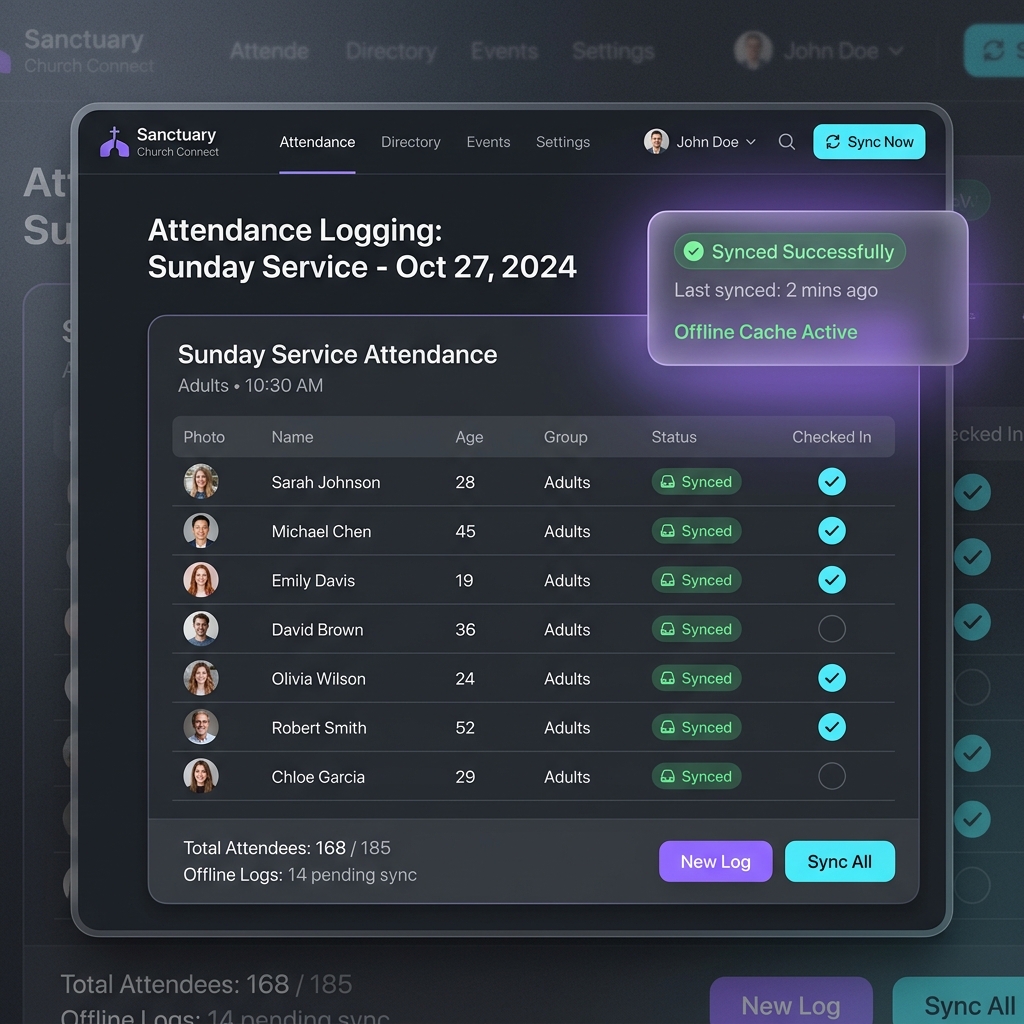
Church basements and community halls often suffer from poor cellular connection. To solve this, Kononia operates on an Offline-First model, allowing servants to record attendance seamlessly without any network access.
How It Works Under the Hood
- Roster Caching: When you open the attendance logger while online, the system caches the entire classroom roster locally on your browser/mobile device.
- Offline Mode: You can toggle checks, mark absences, and write notes. These are stored securely in local database pockets.
- Auto Synchronization: The moment your device reconnects to a network, the system uploads local edits silently.
Recording Attendance
To mark attendance, servants can follow these steps:
- Open the Kononia App on your mobile device.
- Navigate to Attendance.
- Select your class/group.
- Check or uncheck members’ names.
- Tap Save Changes.
Smart Pastoral Care Automation
Proactive pastoral care is the heartbeat of church life. Kononia helps ensure no one is overlooked by automating follow-ups.
Automatic Case Assignment
If a member is absent for 3 consecutive weeks, the platform automatically creates a Pastoral Outreach Case and assigns it to their designated servant.
Logging Outreach Actions
Servants can view their active outreach dashboard and log actions taken:
- Phone Call: Log date and phone call status.
- Home Visit: Document the visitation outcome and prayer requests.
- Priest Intervention: Request the parish priest to intervene for complex spiritual guidance.